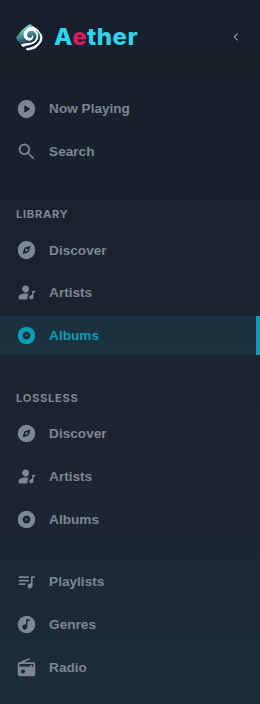
Libraries#
A library is what you browse: a named, saved filter over everything that was scanned — not a directory. The same album can sit in several libraries, and deleting a library never deletes music. Subsonic apps see each library as a music folder.
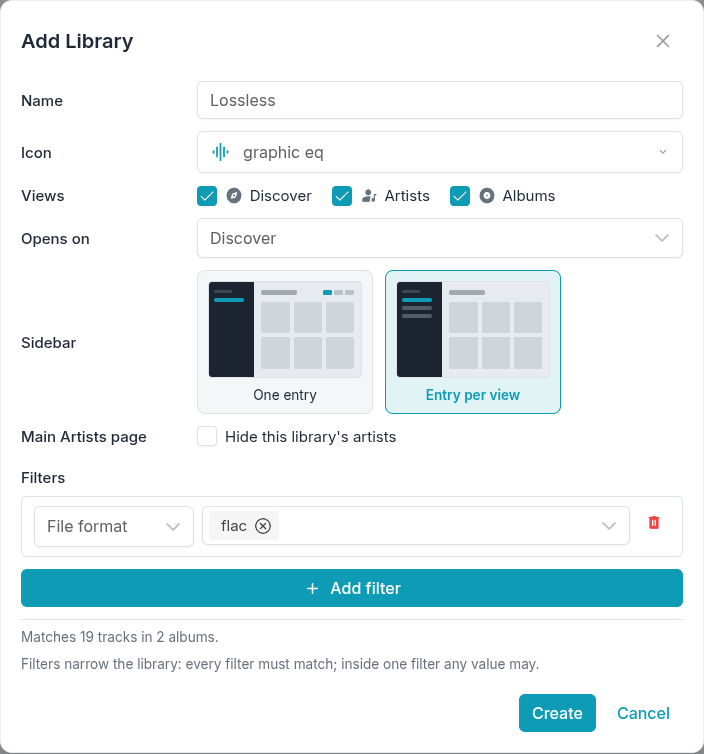
Create one under Settings → Libraries → Add library. Besides a name and an icon, a library sets:
- which views it offers — Discover, Artists, Albums — and the one it opens on;
- whether the sidebar gives it one entry or one per view;
- whether its artists are hidden from the main Artists page;
- up to 20 filters.
Filters#
| Filter | Matches tracks… |
|---|---|
| Scan folder | indexed under one of the chosen scan folders |
| Folder path | stored under one of the chosen directories |
| File format | with one of the chosen extensions (flac, mp3, …) |
| Release type | on an album of one of the chosen types; “(none)” means untyped albums |
| Compilation | on a compilation album (Yes) or on any other album (No) |
| Genre | tagged with one of the chosen genres |
A track must pass every filter; within one filter, any of its values is enough. A library without filters is the whole catalog. While you edit, the dialog shows how many tracks and albums the filters match.
Worth knowing#
- Scan first. Formats, genres and release types are picked from what the catalog already holds, so before the first scan the pick-lists are empty.
- Lists narrow, detail pages do not. A “Lossless” library lists only albums that have a FLAC track — but an album page shows all of its tracks, MP3 included, and an artist page shows all of the artist’s albums.
- Renaming a scan folder orphans the filters that name it. The library is marked “Needs attention” and cannot be saved until that value is removed or replaced.
- A value that leaves the catalog shrinks a library silently. When no track carries a genre, format or release type any more — after a retag, say — the library just matches less, and the edit dialog marks the value “(not in the catalog)”.
- Folder paths are matched as stored. Pick directories with Browse…. A
directory that is a symbolic link, or sits below one, matches nothing, and a
path filter does not follow a scan folder whose
Pathyou change — edit it afterwards.
The whole catalog has a setting of its own on Settings → Libraries, the main library: whether the sidebar lists its three views or a single “All music” entry.