
Connecting apps#
Aether speaks the OpenSubsonic API, so any
Subsonic or OpenSubsonic app can use it — Symfonium, DSub, play:Sub and many
more. In the app, enter your server’s address, e.g.
https://music.example.com or http://192.168.1.10:8075, and the credentials
below.
Credentials#
With authentication off (Auth.Method: none), the API asks for nothing:
any username and password work.
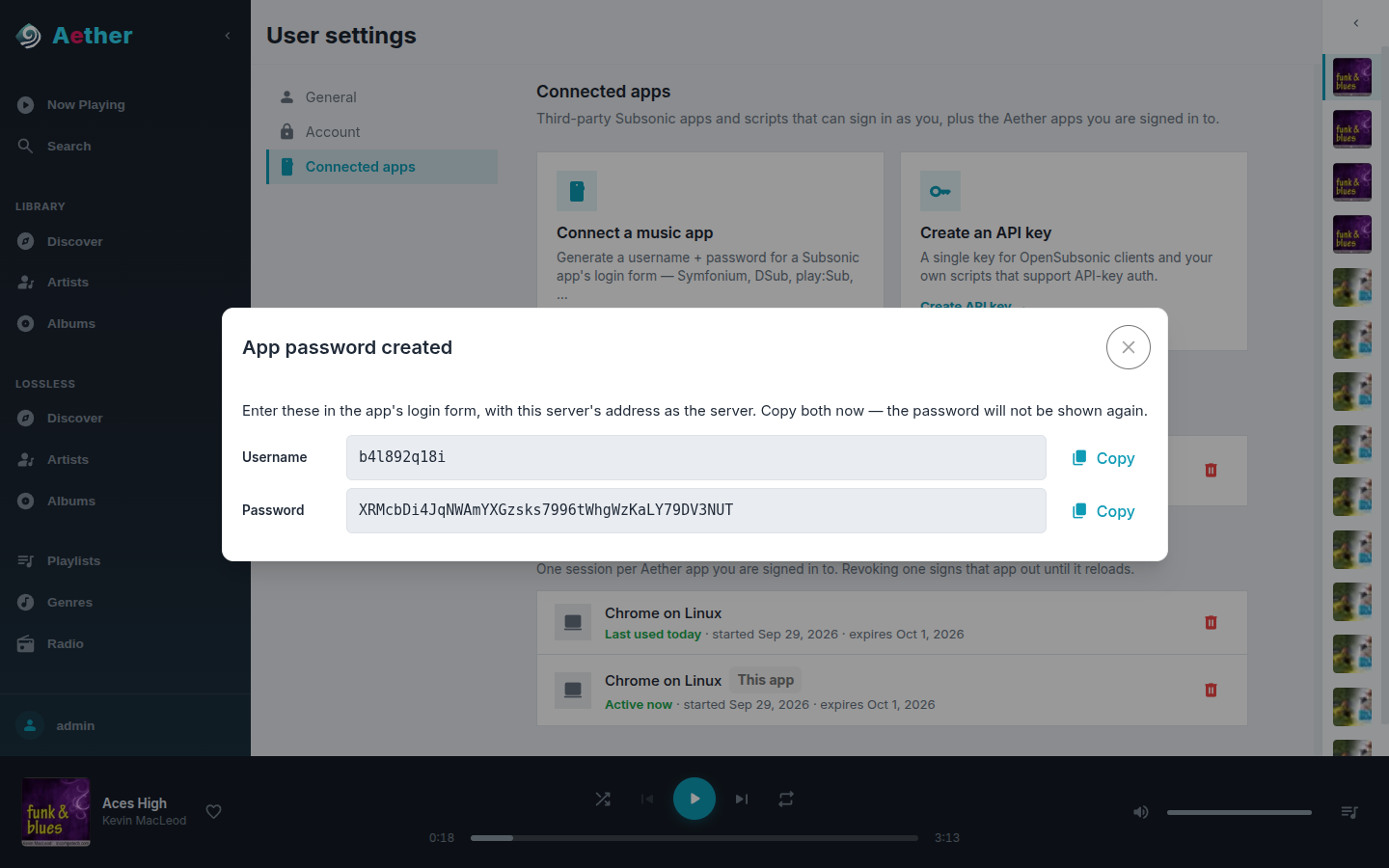
With authentication on, your own password never works in an app. Each app gets its own credentials instead, so you can revoke one without touching the others. Open User settings → Connected apps from your account menu:
- Connect a music app creates a username and password for the app’s login form. This works with practically every Subsonic app.
- Create an API key creates a single key, for OpenSubsonic apps and your own scripts that support API-key sign-in.
Both are shown once — copy them into the app right away. The same page lists every app with access and revokes it, and also lists the browsers you are signed in to the web player from.
Warning
Subsonic apps sign every request in a way that can be replayed: over plain HTTP, anyone who captures one request can keep using that app’s access until you revoke it. Use HTTPS for anything beyond your home network.
Behind an authenticating proxy#
If a proxy such as Authelia protects Aether, it must let /rest through
without its own sign-in: apps cannot fill in a login page. See
Authentication.