
Configuration#
Aether reads one YAML file. Every option is annotated in the packaged config; this page covers the ones you will touch.
Where the config comes from#
aether start -c /path/to/config.yamluses that file. The path must exist — a typo is an error, not a silent fallback.- Without
-c, Aether tries./config.yaml, then/etc/aether/config.yaml, and uses the first one that exists. With neither, built-in defaults apply. - Environment variables override the file:
AETHER_plus the key path in capitals, e.g.AETHER_SERVER_PORT=8080orAETHER_AUTH_METHOD=native. Lists such asScanFolderscan only be set in the file. - Secrets can live in their own file: a value starting with
@is read from that path, e.g.FanartApiKey: "@/etc/aether/fanart.api.key".
Restart the server after changing the config.
Scan folders#
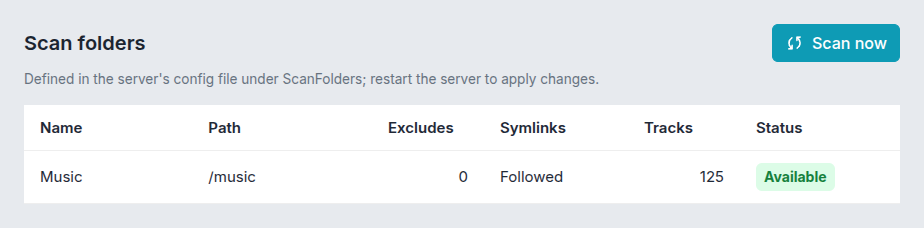
The directories Aether scans are listed here and nowhere else:
ScanFolders:
  - Name: "Music"
    Path: "/srv/music"
  - Name: "Audiobooks"
    Path: "/srv/audiobooks"
    ExcludePatterns:
      - ".*/covers/.*"   # optional, Go regular expressions
    FollowSymlinks: true # optional, default true
Name identifies the folder — tracks remember it, and library filters refer to it. Path is the directory to scan: use an absolute path, to the real directory (a symlink is refused), and do not nest one scan folder inside another.
Warning
Removing an entry removes its tracks at the next scan, together with their favorites, playlist entries and play history.
- Moving a folder keeps its tracks, with their favorites, playlist entries and play history, if you change
Pathand the old location is gone by the next scan. If the old copy still exists — you copied the music to a new disk, say — the tracks are indexed again as new ones, and the old ones are dropped with all of that: delete or rename the old copy before that scan. See Scanning for moves inside a folder. - Renaming takes effect at the next scan. Libraries that filter on the old name then match nothing until you edit them; Settings → Libraries marks them “Needs attention”.
- Symlinked folders are followed, but their content is stored under the link’s target. If the target is outside every scan folder, those tracks are listed but do not play, and show generated covers — add the target as a scan folder of its own, which works as long as it does not contain another scan folder. A symlinked file is scanned even with
FollowSymlinks: false, with the same catch. The metadata editor does not list symlinked folders at all. - A folder missing at startup (a network share that mounts late) is only a warning; scans refuse to run until it is back. Mount a share at a scan folder’s root, never inside one, see Network shares and mounts.
- Synology
@eaDir: a pattern starting with@is read as a file path, so exclude it as"^@eaDir$".
Main settings#
| Key | Package default | |
|---|---|---|
Server.Port | 8075 | |
Server.BindIp | "" | empty means localhost with auth none, all interfaces otherwise |
DataDir | /var/lib/aether | database, cached artwork, task logs |
Auth.Method | none | none, native or proxy-header, see Authentication |
ArtistImages.FanartApiKey, ArtistImages.TheAudioDBApiKey | "" | artist image lookups; set at least one to enable them |
Observability.Enabled | false | health and metrics endpoints on port 9009 |
Env.LogLevel | info |